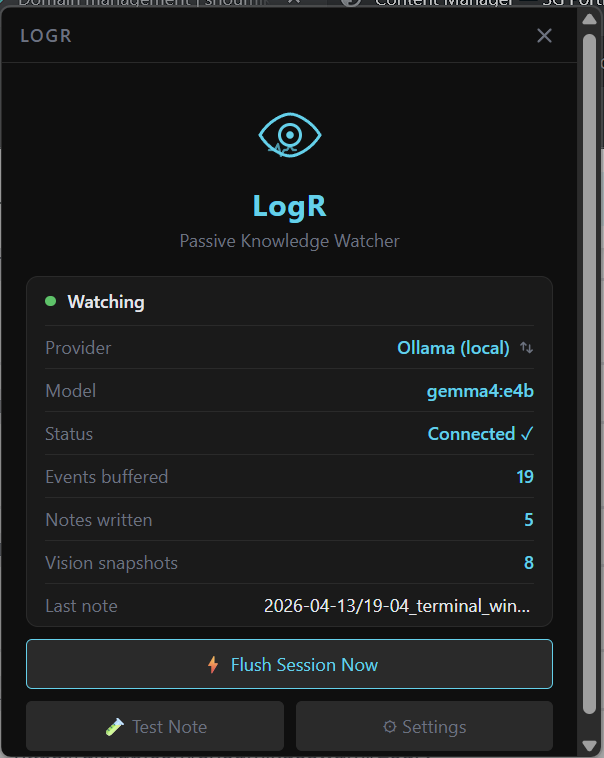
LogR - A passive knowledge watcher for your desktop.
LogR runs silently in the background, observes what you do on your computer, and writes AI-synthesized markdown notes — automatically, without interrupting your flow.
Details
- ROLE
- Builder
- DATE
- April 13, 2026
Tech stack
LogR
A passive knowledge watcher for your desktop. LogR runs silently in the background, observes what you do on your computer, and writes AI-synthesized markdown notes — automatically, without interrupting your flow.
What it does
LogR watches your activity in real time:
- Which apps and documents you focus on, and for how long
- Browser tabs you visit (title changes, URL navigation, SPA routing)
- Files you open and edit (with content snippets)
- Clipboard contents you copy
- Typing bursts — knows you were actively writing without logging what you typed
- Vision snapshots — periodically captures your screen and asks a local vision model to describe what you're doing
At natural break points (idle, category shift, or session cap), it groups the activity into a session and sends it to a local Ollama model, which writes a structured markdown note. If Ollama is unavailable, it writes a raw event log instead.
Notes land in ~/Documents/LogR/YYYY-MM-DD/ and are never sent anywhere.
Privacy
LogR is fully local. Nothing leaves your machine.
- No keylogging — typing bursts count keystrokes only; key identities are never stored
- No cloud — Ollama runs locally; notes are written to your disk
- Screenshots are never saved — vision captures are encoded in memory, sent to Ollama, then discarded
- Blocklist — password managers, banking pages, login forms, and incognito windows are filtered out automatically
- Communication apps — Slack, Discord, Mail etc. are excluded by default (configurable)
- Your notes directory is excluded from filesystem watching so LogR never captures its own output
How notes get written
Activity is grouped into sessions. A session flushes (and a note is written) when:
| Trigger | Default | |---|---| | You go idle | 2 minutes of no activity | | App category changes | Coding → Browser → Terminal etc. | | Session event cap | 30 events | | Manual flush | Dashboard or tray menu |