How Hermes manages my meals and grocery everyday
The problem: deciding what to eat, every single day
Meal planning sounds simple until you do it every day. Breakfast, lunch, snack, dinner — seven days a week, 365 days a year. Before you know it, you're standing in front of the fridge at 6pm, staring at ingredients you can't quite remember buying, trying to decide what to cook while everyone is hungry.
It takes time. It takes mental energy. And half the time you end up buying the same things again because you forgot what's already in the pantry.
That was us. Every evening, the same question: what are we eating tomorrow? A quick decision it was not. It meant checking the pantry, checking the fridge, scrolling through recipe ideas, balancing vegetarian and non-vegetarian days, making sure we don't repeat the same dish too often, and then writing a grocery list for what's missing. By the time that was done, the appetite for cooking was already gone.
How Hermes does it now
Now, I don't decide. Hermes does.
Every night, a worker runs and plans all the meals for the next day — breakfast, lunch, snack, and dinner — all at once, not one after another. It checks what's already in the pantry first, holds ingredients that need using up, avoids repeating dishes too often, keeps a mix of vegetarian and non-vegetarian meals, and puts anything short on the shopping list.
Then it pings me. The menu is ready.
What the AI actually does
The planning isn't a simple random pick. The AI runs a constraint-satisfaction loop every night:
1. Pantry-first inventory scan It queries the full pantry stock — quantities, units, expiry dates. Items marked "use soon" get priority. Anything below a threshold automatically goes on the shopping list.
2. Recipe matching with hard constraints
- Must use at least 2 pantry ingredients per meal
- No dish repeated within 7 days
- Vegetarian/non-vegetarian balance across the day (configurable ratio)
- Cooking time under 45 minutes for weekdays
- Nutritional variety — protein source rotates (dal, paneer, chicken, eggs, fish)
3. Preference learning from swipes Every swipe right/left/thumbs-up is a training signal. The AI maintains a per-dish score that decays over time. Dishes with consistent thumbs-up get higher probability; consistent skips push them to the back of the rotation. It also learns ingredient-level preferences — if you thumbs-up three paneer dishes, paneer probability goes up even for new recipes.
4. Multi-meal joint optimization Instead of picking breakfast, then lunch, then snack, then dinner independently, the AI solves all four together. This avoids conflicts like using all your onions at breakfast and having none for dinner, or having two heavy-carb meals back to back. The joint objective: maximize pantry utilization + preference score + variety, subject to the hard constraints.
5. Shopping list generation as a byproduct Any ingredient the plan needs but the pantry doesn't have (or has insufficient quantity) is automatically added to the shopping list with the exact amount needed. The list groups by store section (produce, dairy, pantry) for efficient shopping.
6. Receipt parsing with a vision model When you upload a shop bill photo, a vision model extracts line items. It handles Hindi/abbreviated names ("tom 1kg" → tomatoes 1 kg), skips non-food lines (carry bags, taxes), and proposes a clean confirmation screen. You approve, and the pantry updates atomically.
7. Telegram nudge as the control plane Hermes Agent runs the notification layer. When the plan is ready, it sends a formatted Telegram message with the menu link. When you confirm in the web app, Hermes relays the approval back to the worker, which commits the stock deductions. The agent holds no model keys — it's purely the gateway and messenger.
How the swipes work
I open the link and swipe through options for each meal — like a dating app, but for dinner:
- Swipe right — keep this meal
- Swipe left — skip it, show me another option
- Thumbs up — this dish worked, remember that
The app learns from those swipes. If I keep skipping lentil dishes, it stops suggesting them. If I thumbs up a particular chicken curry, it knows to bring it back in rotation. Over time, the planner starts to feel like it knows my family's tastes better than I do.
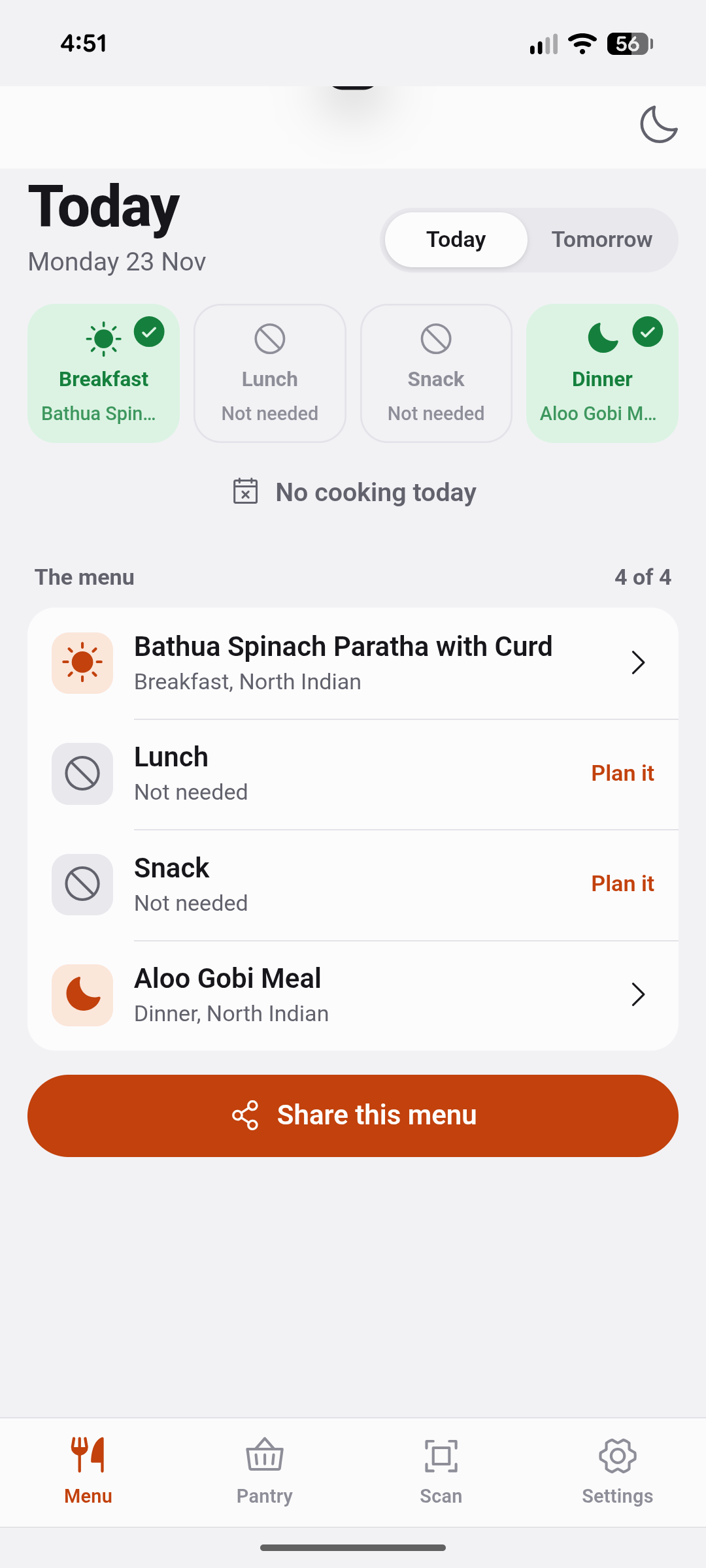
Once the four meals are decided, the app builds a nice-looking menu page for that day. It can be shared as a link. A day can be marked "no cooking" or a single meal — say, lunch or dinner — marked "not needed." Recipes come with links. Light and dark themes with a toggle, styled like a mobile app.
When I confirm, the worker updates the pantry stock accordingly. If we cooked with tomatoes and onions, those get deducted. If we're running low, they go on the shopping list.
Pantry updates via photo
When I come back from the grocery store, I can upload a photo of the shop bill — or even a photo of the shelf. The worker reads it with a vision model, figures out what items and quantities I bought, turns abbreviated or Hindi names into plain product names, skips the carry bags, and proposes them for my confirmation. I confirm, and they land in the pantry stock.
No more typing out every item by hand. No more forgetting what I just bought.
What the UI looks like
The interface is phone-first — a mobile-style app you open from a browser.
Scan screen — where you add groceries:
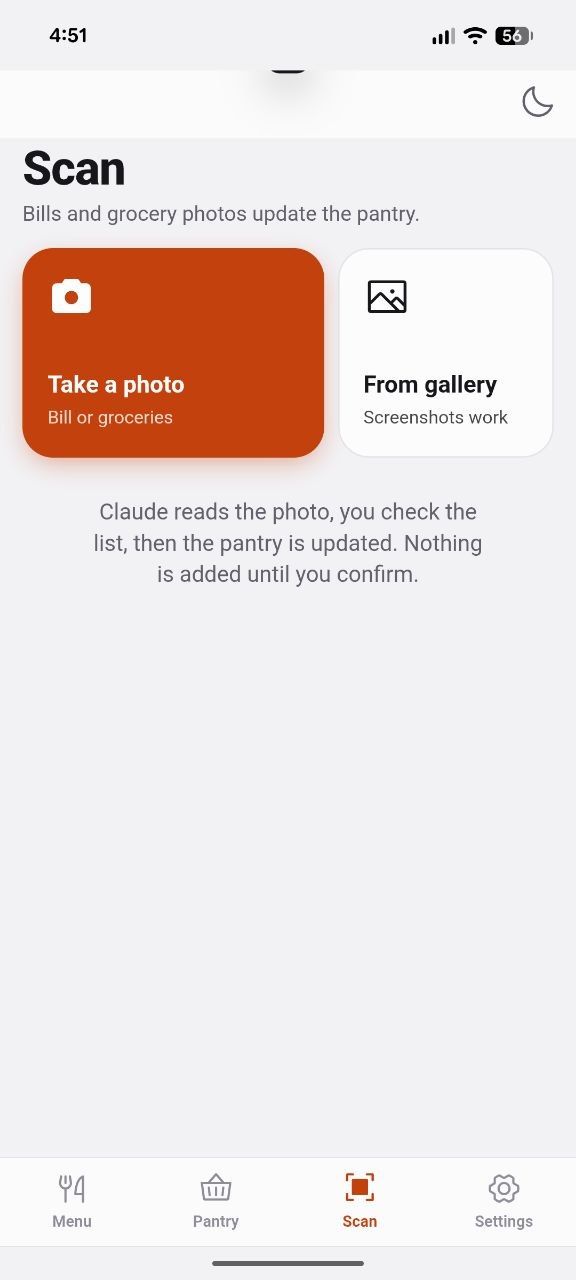
The scan screen has two cards: "Take a photo" (for bills or groceries) and "From gallery" (screenshots work). A dark-mode toggle sits in the corner. Once you scan, a confirmation screen lists every item and quantity — you check it, then confirm before anything is added to the pantry.
Pantry screen — your running inventory:
Each item in the "To buy" list has a checkbox, a quantity, and a linked meal plan with a date — so you know exactly which meal each ingredient is for. Filter tabs at the top let you see "Use soon" or "Running low" items separately. The bottom navigation shows you're on the Pantry tab, with Menu, Scan, and Settings as the other tabs.
Product demo video
The product video below shows the full meal planning flow — from nightly worker planning to swipe-based meal selection to pantry updates via photo. It was recorded on the VPS and demonstrates the complete user experience.
Why this works
The design philosophy is simple: scripts and a worker do the heavy data work — planning, receipt parsing, stock updates — while Hermes serves as the gateway and notification channel. The heavy lifting stays out of a chat conversation and in a pipeline that runs reliably every night.
It's not perfect. The receipt-scanning hasn't been tested on a real phone yet, and the first fully automatic nightly plan is still being observed. But the core loop works: plan at night, swipe in the morning, prepare meals during the day, update the pantry after.
If you've ever stood in front of the fridge wondering what to cook, this is worth trying. The server, the keys, the data — it's all yours. You're the sysadmin now.
I wrote this with AI assistance. The workflow commands and patterns were checked against the official docs and my own server setup.